 PGBrowser
The fast, minimal Postgres GUI for macOS
Browse, edit and query your PostgreSQL data with a native, lightweight app. No dashboards, no bloat — just your data, instantly.
Everything you need. Nothing you don't.
Native & instant
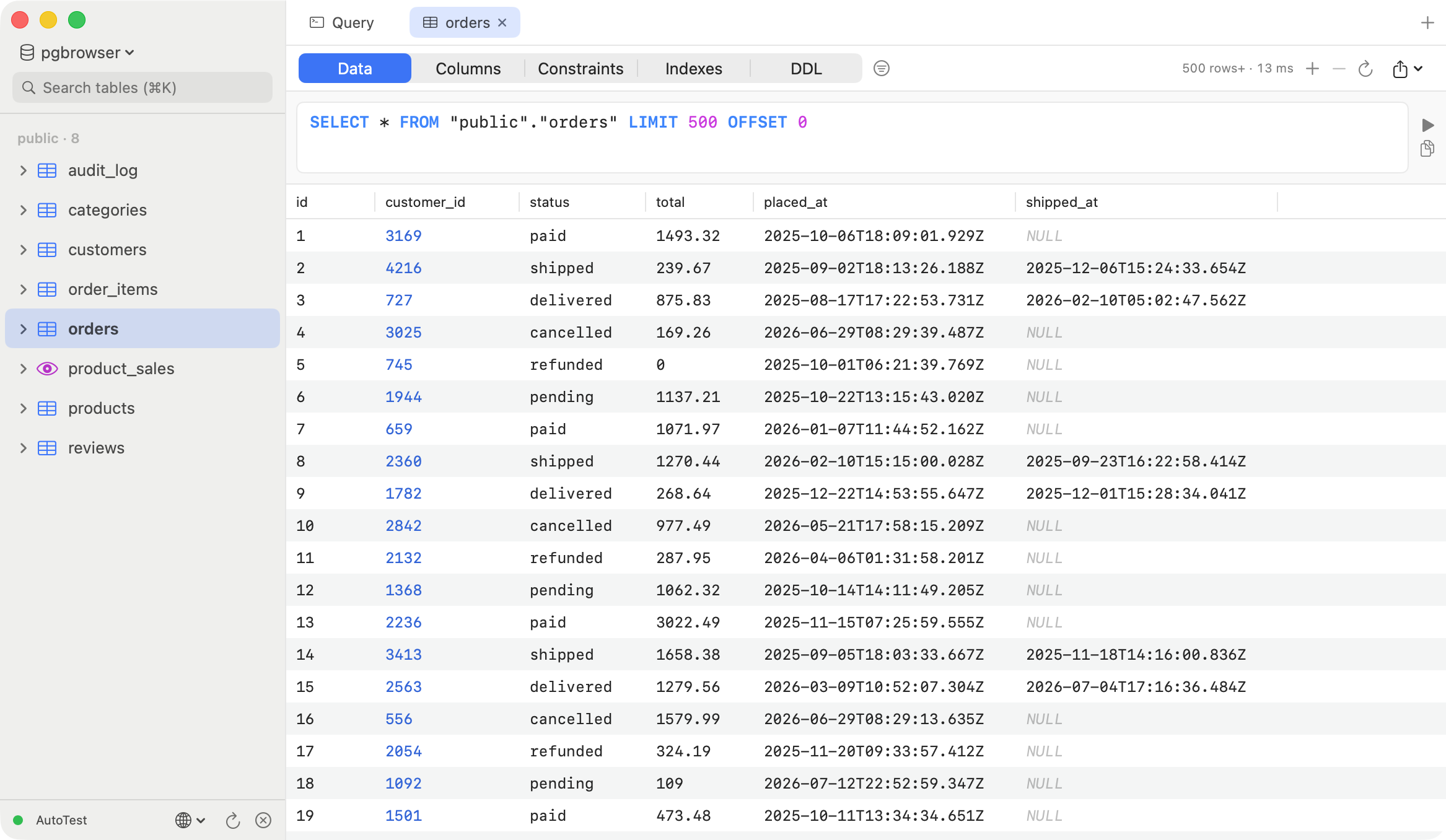
Built with Swift. Cold start under a second, million-row tables scroll smoothly with automatic paging.
Safe inline editing
Edit cells in place. Every change is staged, previewed as SQL, and committed in one transaction with ⌘S.
Smart SQL editor
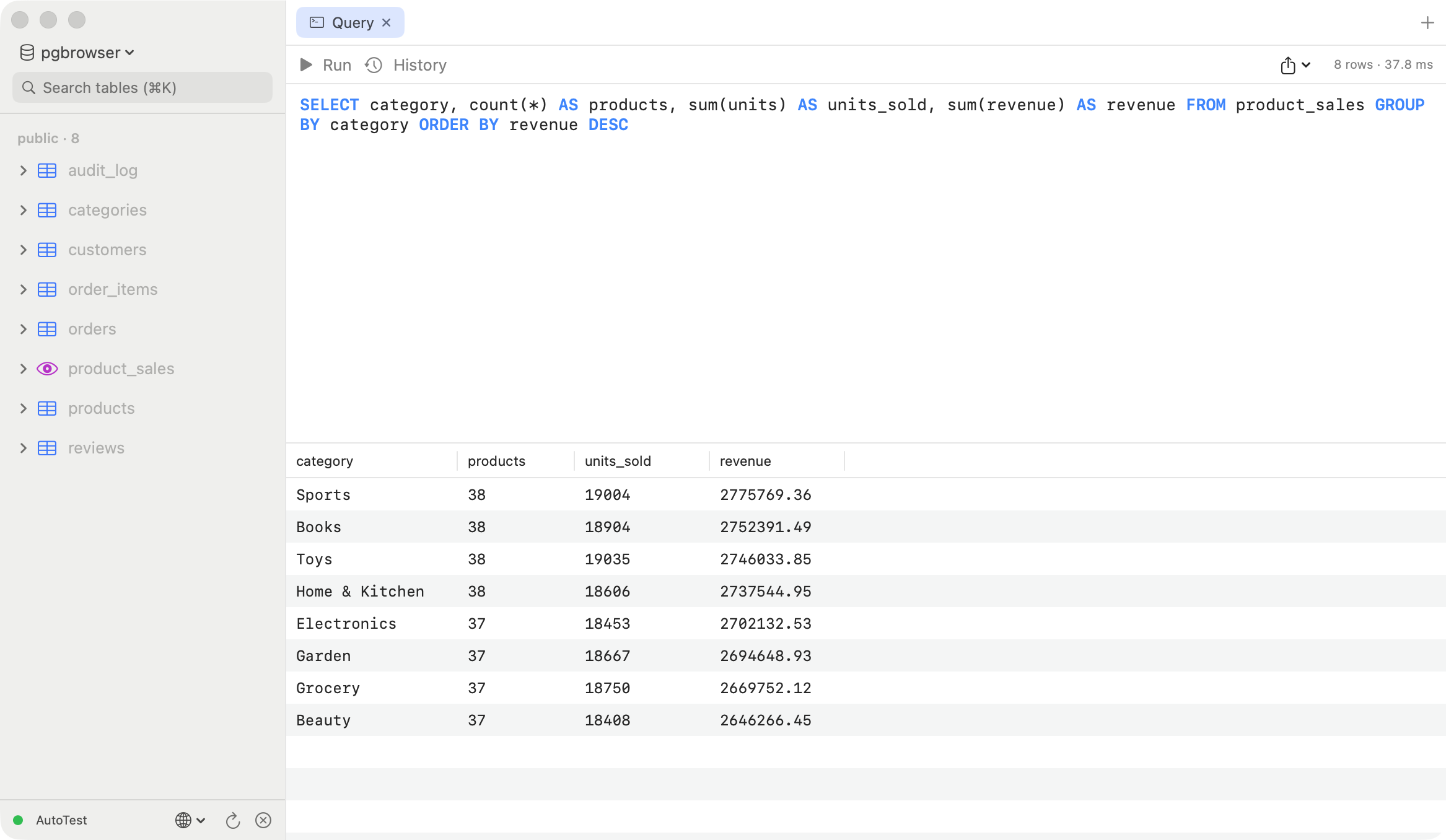
Schema-aware autocomplete for tables and columns, syntax highlighting, multi-statement scripts, query history.
Follow foreign keys
Click a foreign key to jump straight to the referenced row. Inspect JSON and long text in a dedicated viewer.
Structure at a glance
Columns, constraints, indexes and reconstructed DDL — one click from the sidebar, read-only and safe.
Bilingual UI
English and 中文 interfaces. Your license works on all your Macs, forever — free updates included.
Simple pricing
- Perpetual license, no subscription
- All features unlocked
- Delivered instantly by email
- 30-day free trial before you decide
Frequently asked questions
Is PGBrowser free?
Free 30-day trial with all features, no signup. After that, a perpetual personal license is $9.90 — one-time, no subscription.
Which macOS versions are supported?
macOS 14 (Sonoma) or later.
Can it edit table data?
Yes — inline cell editing, adding and deleting rows. Changes are staged, previewed as SQL, and committed in one transaction.
Which PostgreSQL versions work?
All modern versions (13–17) and most Postgres-compatible services.